
Reading License Plates with Blue Iris 6
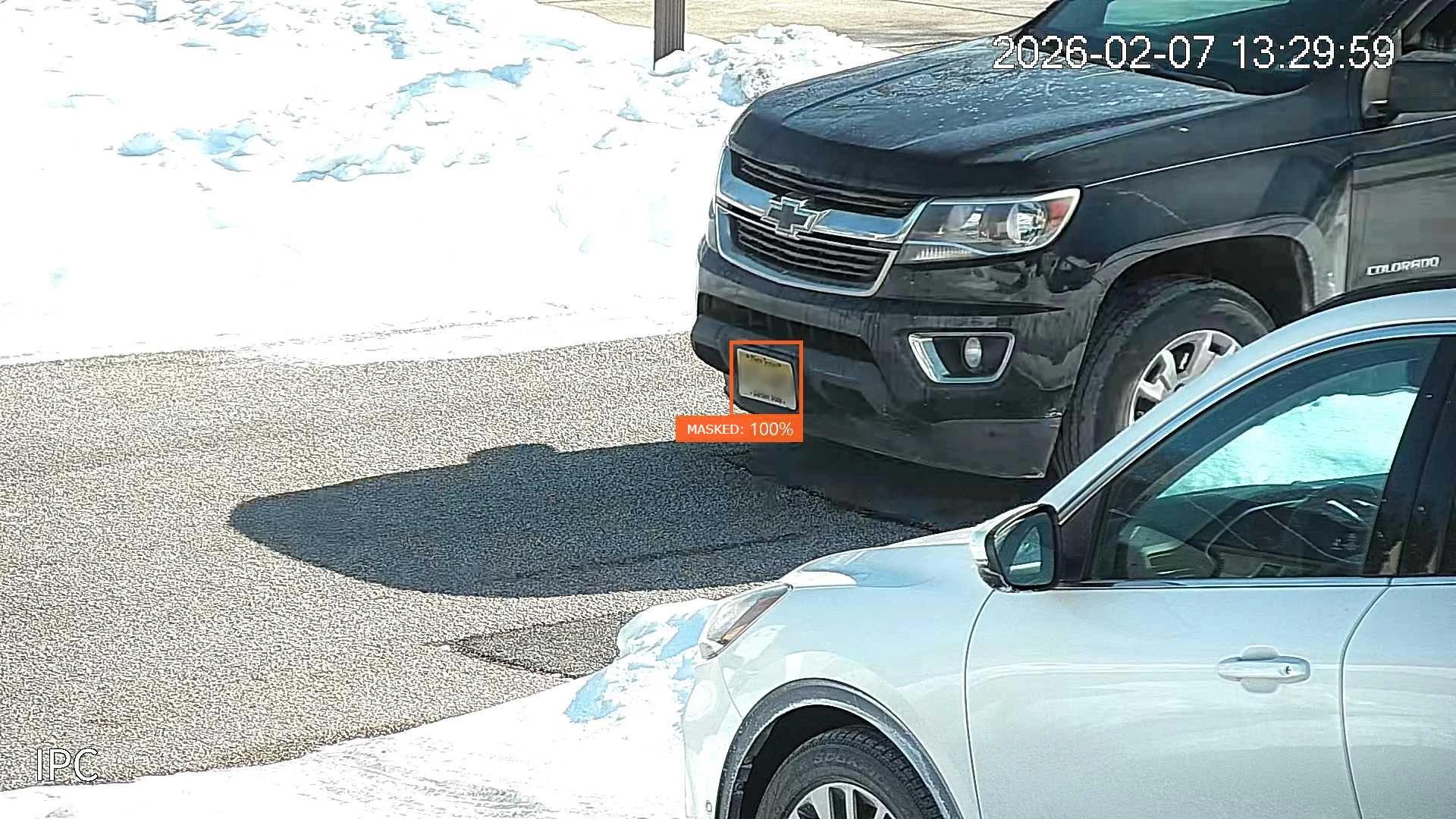
Out of the box, Blue Iris 6 will miss most license plates that drive past your camera. Plates are tiny in-frame, visible for under a second, and reflective enough to fool exposure. The default settings are tuned for people walking through a yard, not for that. They don't stand a chance.
Tune it deliberately, though, and the same software catches nearly every plate that crosses the frame. Below is the exact Blue Iris 6 config I run on my own driveway camera: motion detection, AI model choice, trigger tuning, and the alert path. (Camera hardware, mounting, and optics matter at least as much. Those get their own articles.)
Blue Iris AI Model Setup
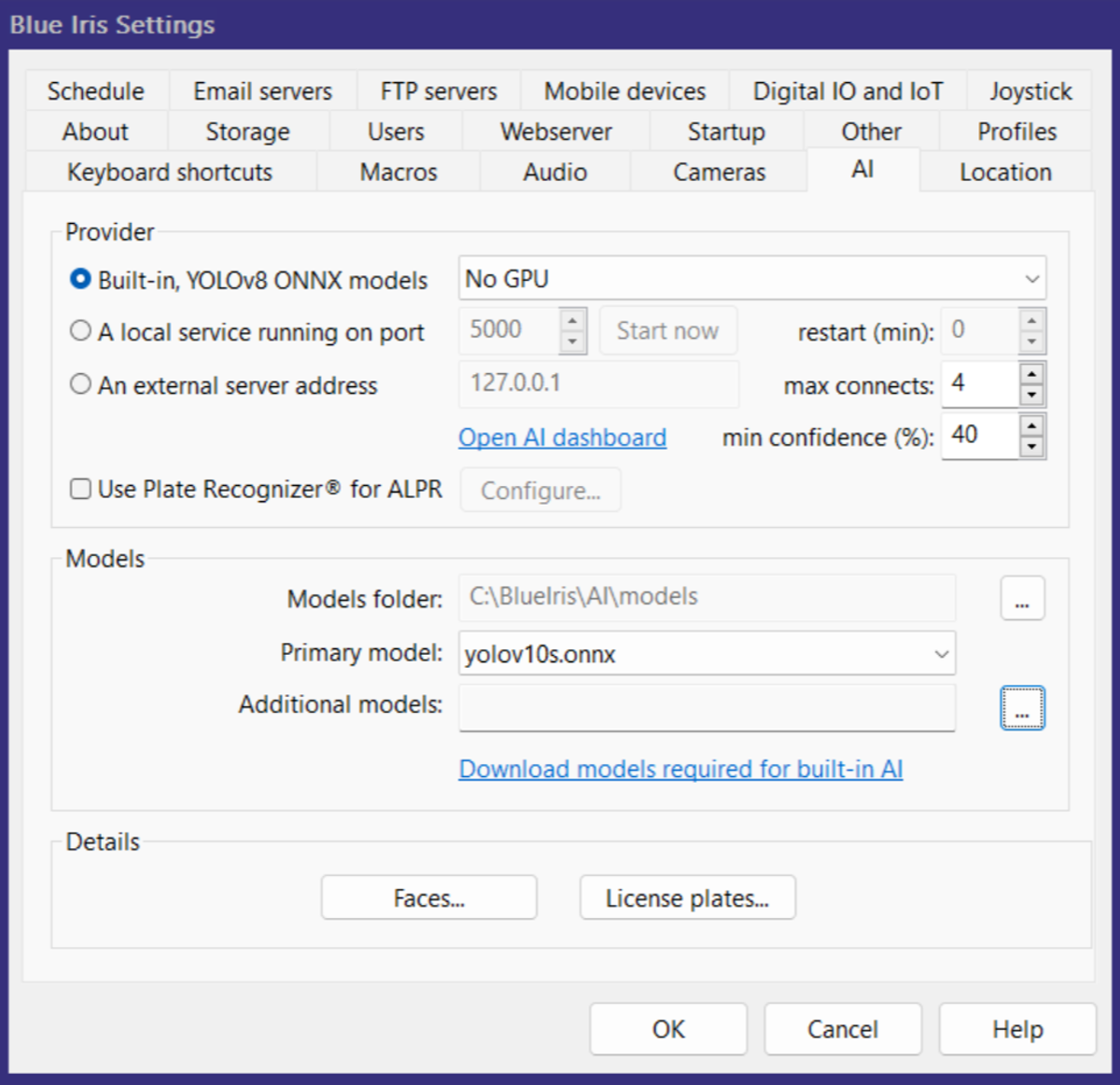
Blue Iris 6 supports built-in AI models (.onnx format), so you can run detection without an external server like CodeProject AI. To set it up, click Download models required..., choose the Built-in… provider, then select your GPU type (or No GPU if your system has no GPU).
Next, choose a Primary Model. At the time of writing, these built-in models are available:
yolov8n.onnx(nano)yolov8s.onnx(small)yolov8m.onnx(medium)yolov10n.onnx(nano)yolov10s.onnx(small)yolov10m.onnx(medium)
A user on IPCamTalk forums posted a good comparison of these models for security camera use. The gist:

- YOLOv10 efficiency. YOLOv10 drops Non-Maximum Suppression, so inference runs faster. That matters on resource-constrained hardware like NVIDIA Jetson boards where you want maximum FPS per watt.
- YOLOv8 robustness. When cameras sit high up and the targets are small or far away, YOLOv8 does better. It holds up on small objects in crowded scenes.
- Vehicle detection. Tests give YOLOv8 a slight edge on cars. YOLOv10 does better on smaller, more complex vehicles like bicycles.
- Low light and motion blur. YOLOv11 and YOLOv8 hold up better than YOLOv10 when video gets blurry or the scene gets dark.
Recommendation:
- Use YOLOv8 if you want to catch every possible object, including small, distant, or occluded ones, or if you need pose estimation or segmentation.
- Use YOLOv10 if your hardware is the bottleneck and you need the lowest latency with objects closer to the camera.
Link to post (credit CrazyAsYou)
I chose yolov10s for my primary model, aiming to have a mix of lower latency (due to not having a GPU), but with strong performance.
Motion Detection Configuration
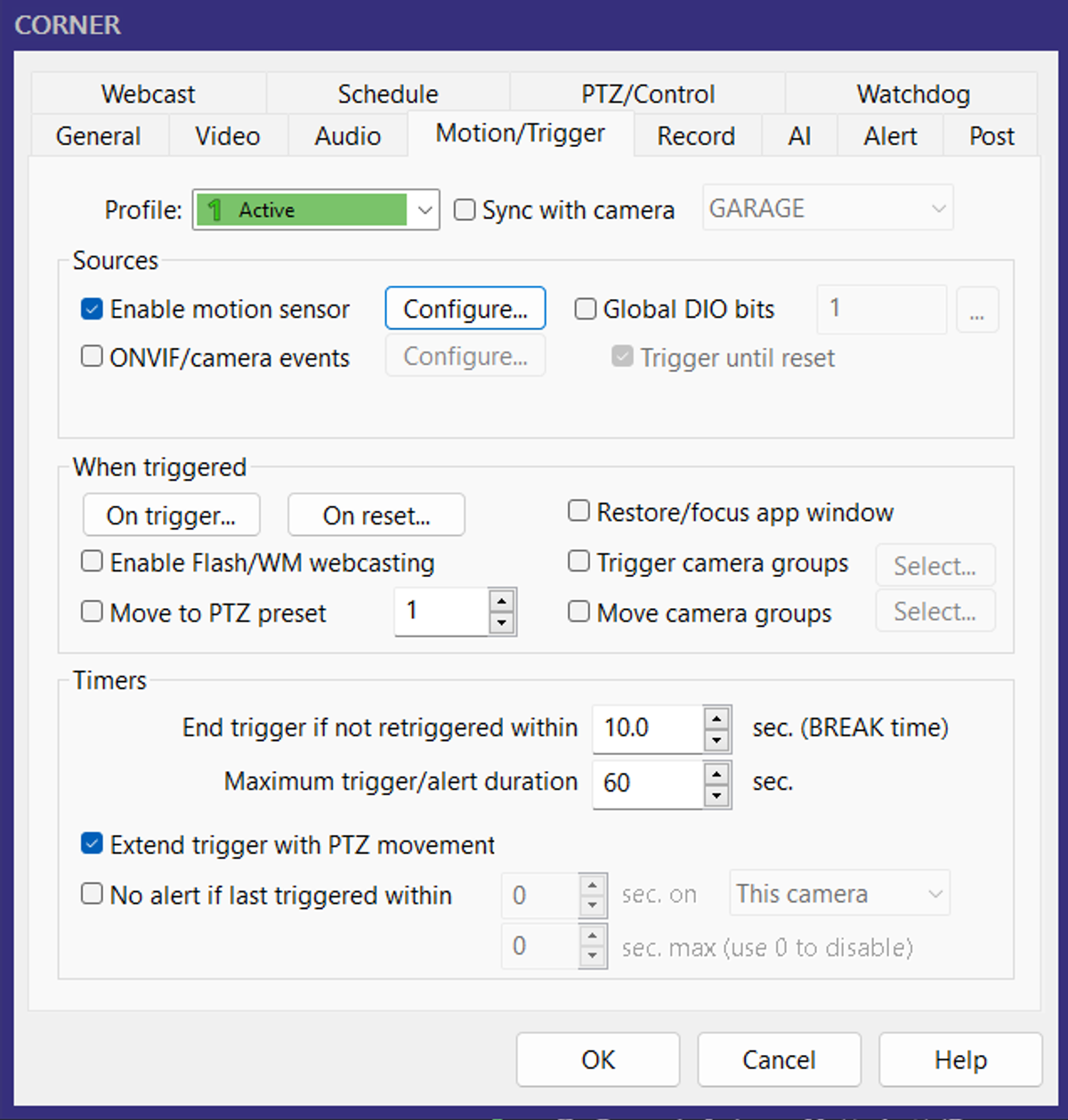
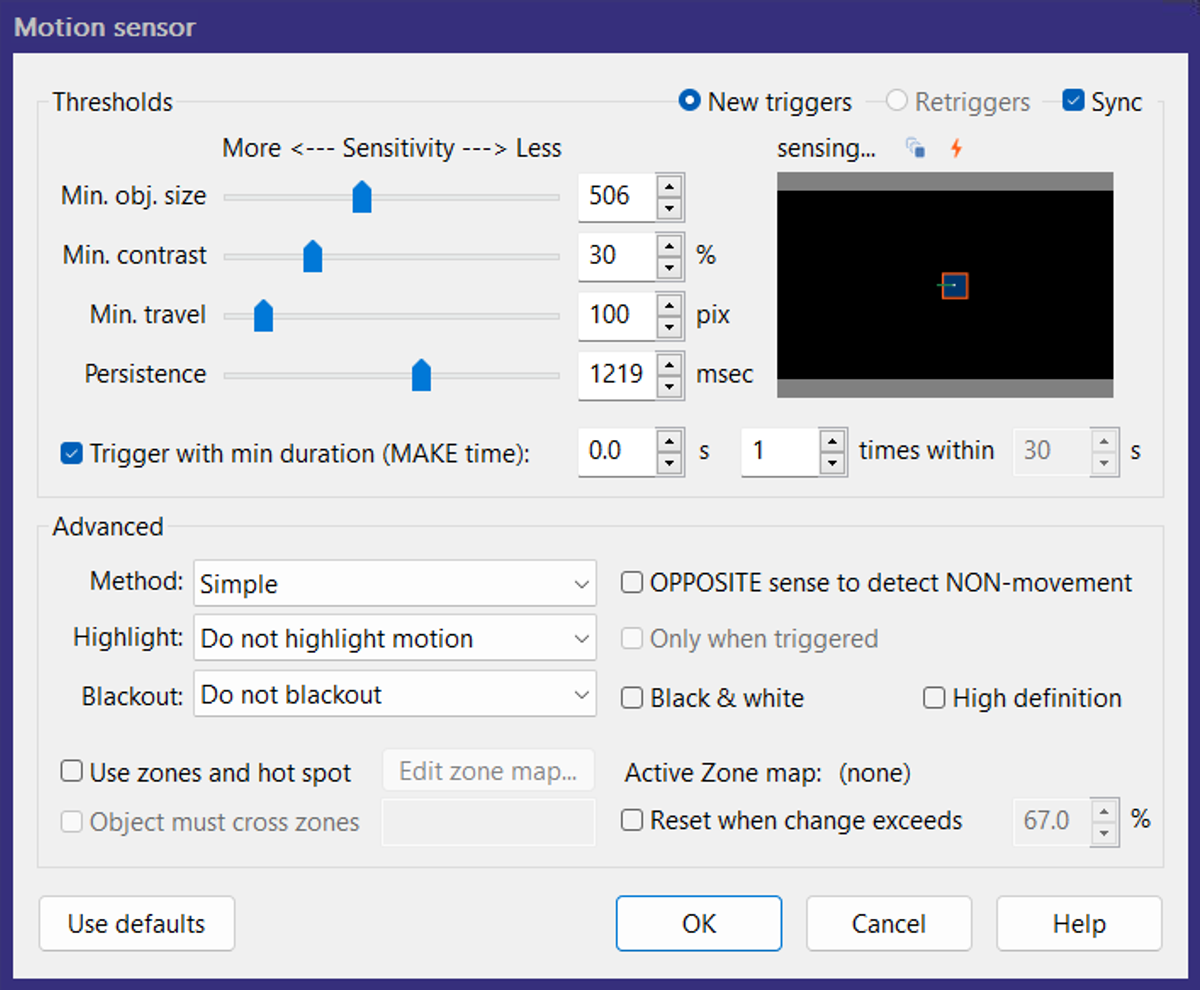
Plates occupy a tiny slice of the frame and move fast. If motion detection is too conservative, the trigger fires after the plate has already left the readable part of the image. For LPR, you want it firing early and predictably.
I run motion detection more sensitive than I would for people detection. False positives at this stage are fine, since AI classification and trigger logic clean them up downstream.
Below are the exact trigger and motion-sensor settings I use. Min duration (MAKE time) is short because this camera's FOV is narrow and vehicles cross it in a second or two.
Motion Zone Design
Design motion zones around where license plates are most readable, not around the full area of visible motion.
In practice, that means a narrow horizontal region where vehicles pass at a consistent distance from the camera. Exclude sky, trees, and distant background wherever you can.
I don't use a motion zone on this camera because plates can appear across a wide area of the frame, though zoning may still help in tighter scenes.
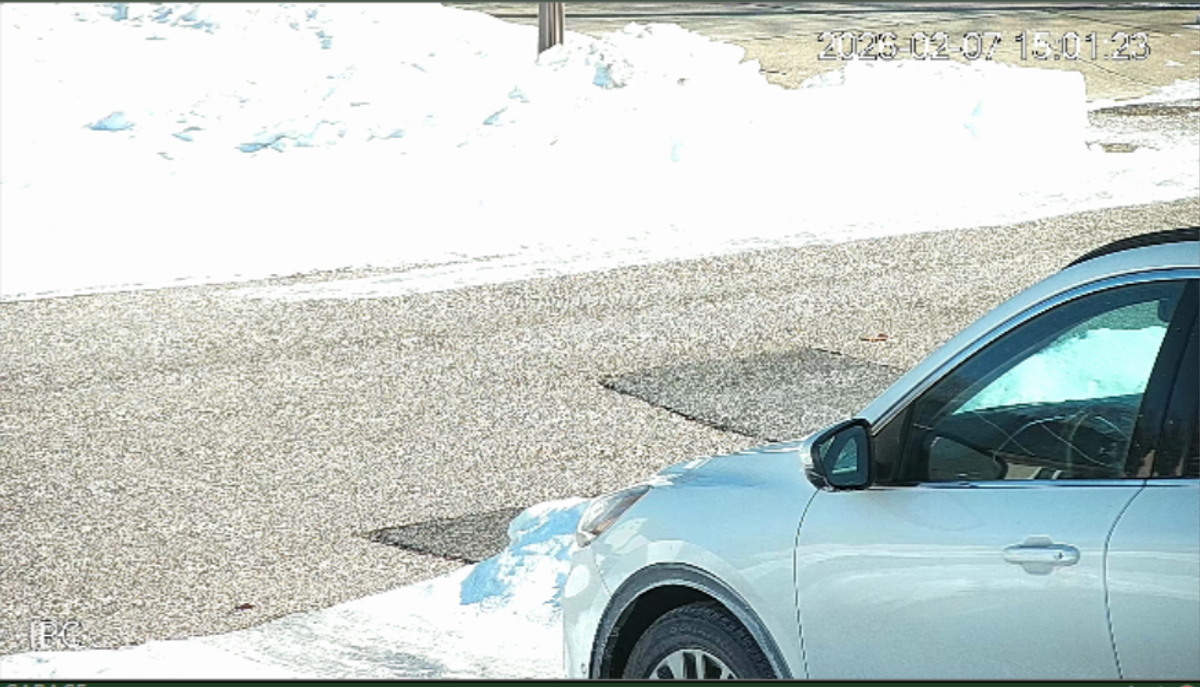
AI Alert Confirmations
AI classification filters motion events. It doesn't detect plates directly.
Enable the camera AI settings below to turn on plate detection and reading. "Confirm alerts with AI" is especially important. Without it, alerts fire from motion only, so the plate-detection and reading models never run.
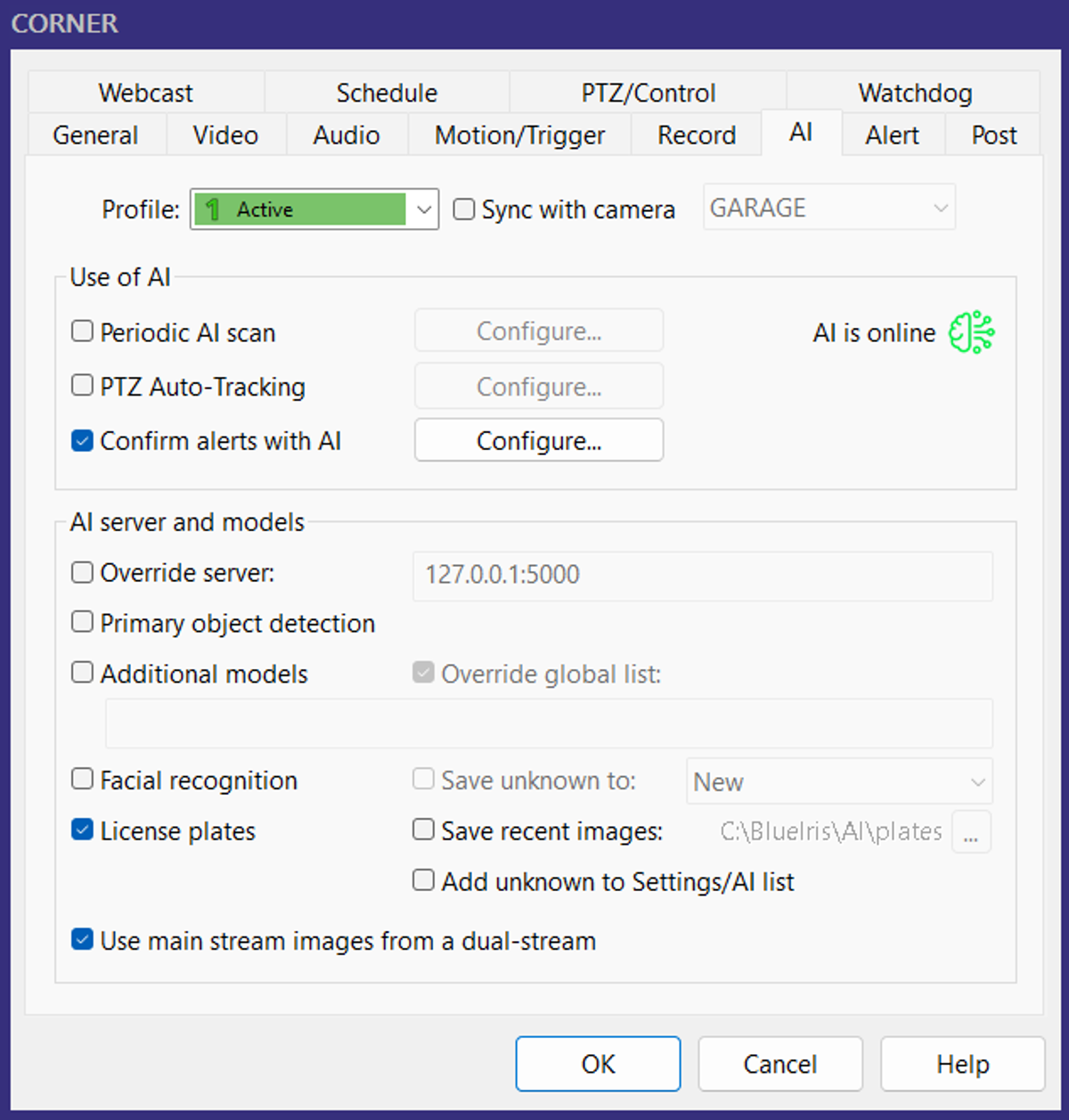
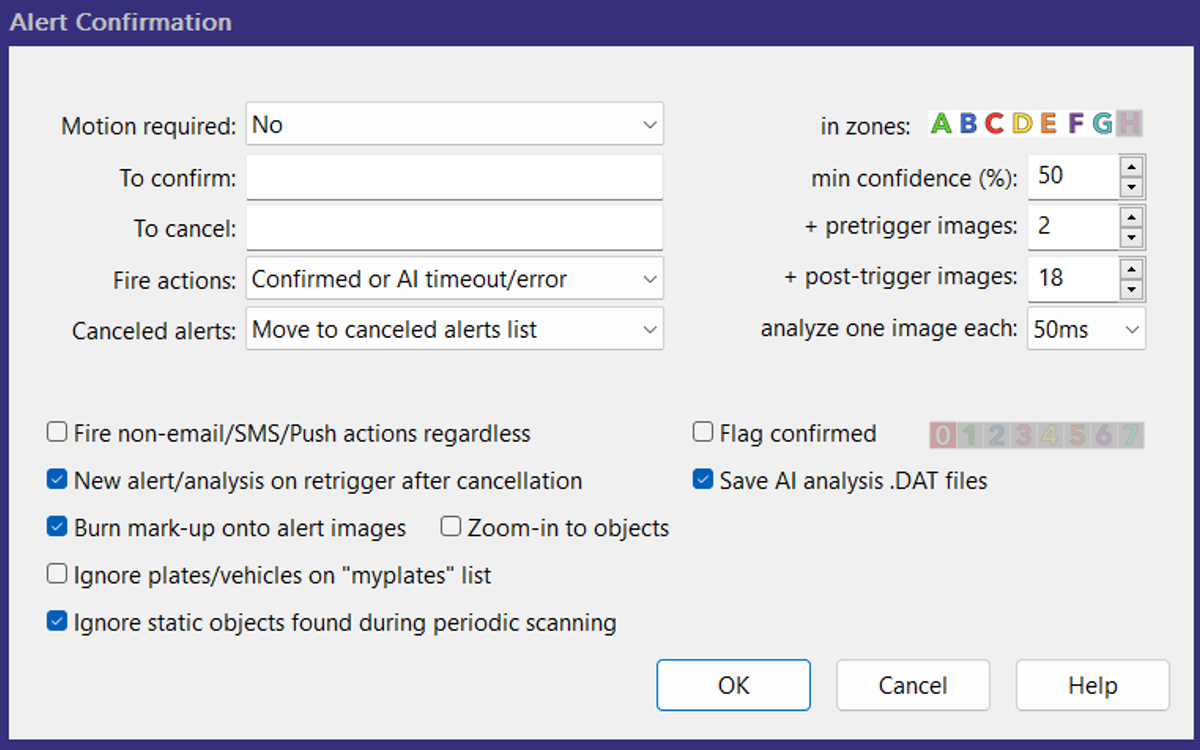
For the alert confirmation settings, the min confidence, pre-trigger, and post-trigger values depend on your setup. Enable "Save AI analysis .DAT files" so you can inspect alerts frame-by-frame and see which values give you the best results.
Detection Troubleshooting
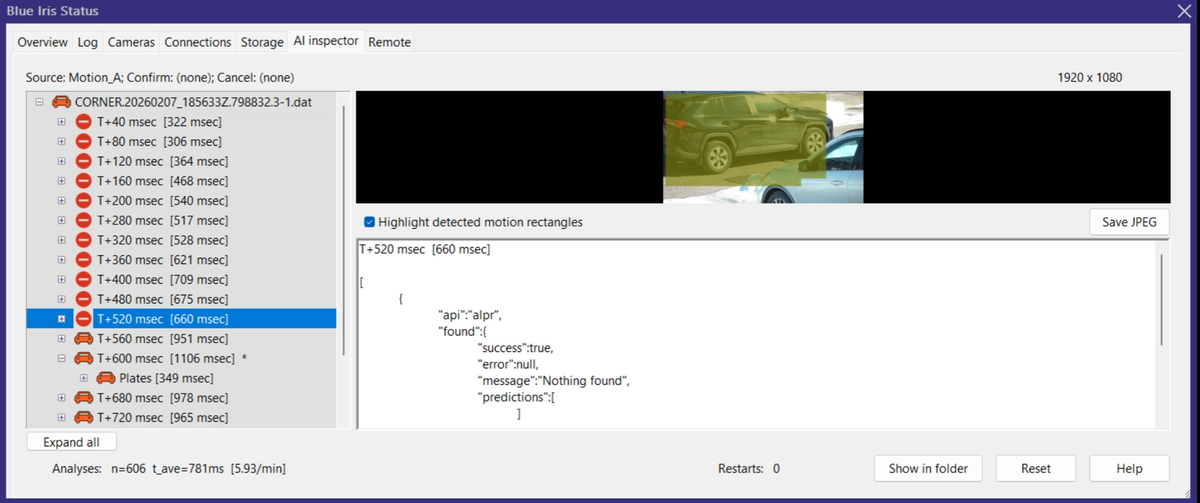
Blue Iris has a powerful built-in AI Inspector tool for inspecting AI inference results frame by frame during the trigger window. For every frame you get the in-motion region, a frame index, and the AI outputs. This makes it easier to decide whether you need more pre/post-trigger frames or a faster analysis cadence ("analyze one image each X").
These troubleshooting steps still depend on plate readability in the source frames. If you can't read the plate in the image, the model likely can't either.
Alert Configuration
Alert behavior depends on your system and the channels you want to use (SMS, email, push notifications, MQTT, HTTP, etc.).
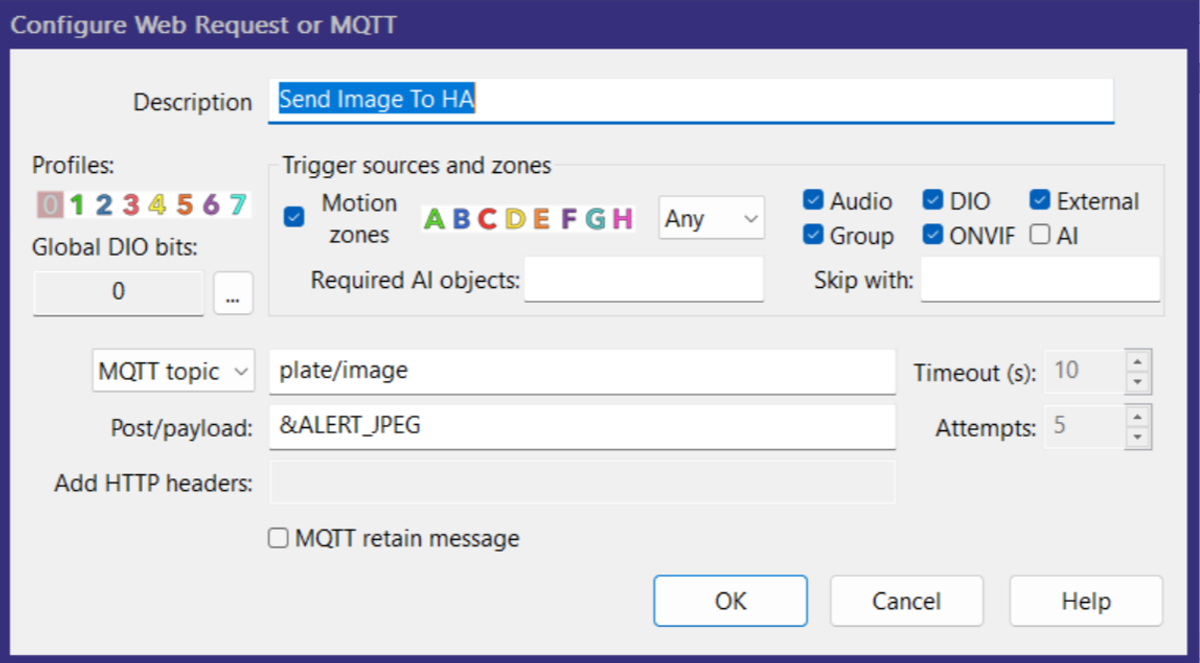
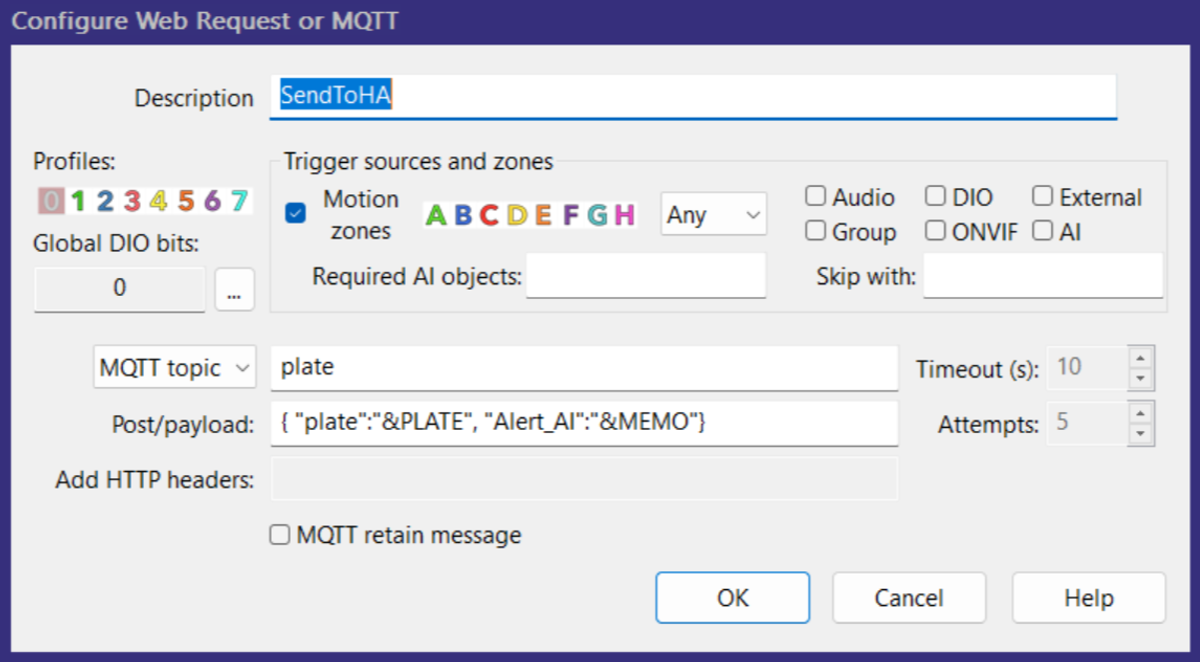
My alerts go to Platelytics for storage and monitoring. When I set it up originally I hit a snag configuring a direct HTTP request containing both the alert image and plate text, so I route it through an MQTT server first. The settings below replicate that setup (and &ALERT_JPEG, &PLATE, and &MEMO work for any alert).
Camera Specs, Settings, and More
This article stops at the Blue Iris boundary on purpose. Mix in camera hardware, mounting decisions, lighting, and downstream automation, and it gets hard to reason about which layer is actually breaking when something doesn't work.
Other Platelytics articles dig into the surrounding system. They cover camera placement for plate capture, event deduplication, notification routing, and the Home Assistant and MQTT wiring that glues it all together.
If you want to see how this Blue Iris setup fits into a full end-to-end system, I cover those details in other Platelytics articles.
Questions or want to compare setups? support@platelytics.app
Want the next one?
New posts and product updates. No spam.